Editing video by writing code is more fun than I thought
- Published on
I needed to make a launch video for Kosshi (my outliner app) on Product Hunt. I've made videos before, but opening Premiere or Final Cut always means another round of wrestling with a timeline I'm not fluent in.
So I tried Remotion. It's a framework where you write video in React: JSX components compile down to MP4. No timeline, just code that becomes the video.
It turned out to be way more fun than I expected.
This is the video I ended up making.
Once I actually started writing in it, it worked surprisingly well. For me, opening a terminal is much less friction than opening Premiere. Types, components, git history: being able to come back to the video repo later and still understand what it's doing, that mattered a lot.
So I thought maybe I could build something bigger with this. I started working on a longer-form explainer I'd had in mind for a while: "Outliners, fully explained." A piece on what outliners are, why they're interesting, and where they came from, going back to the original papers and prior research.
Here's a frame from the work-in-progress.
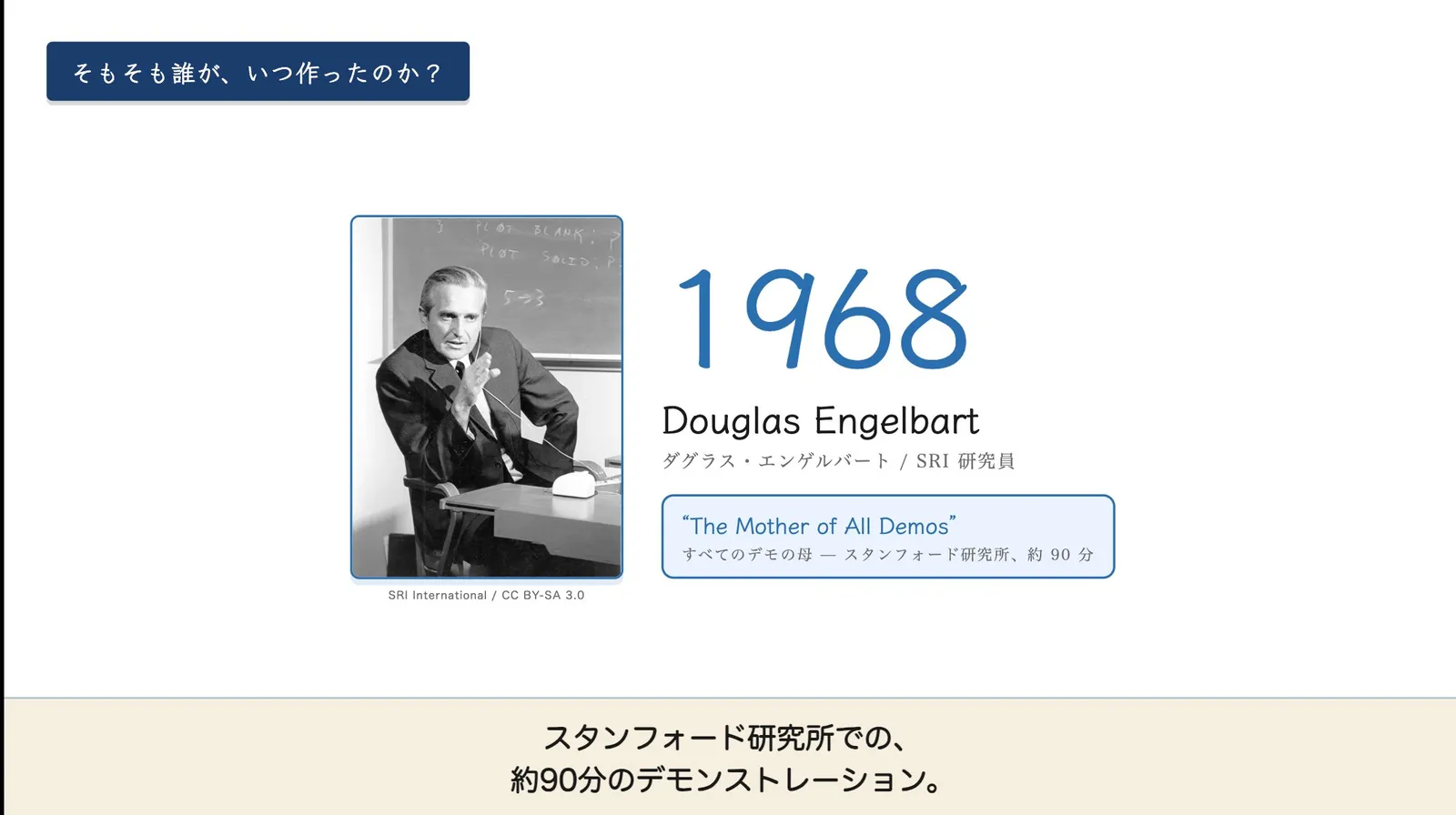
It turns out this is genuinely a programmer-friendly kind of work.
One caveat up front: this is all assuming you're letting an AI agent write most of the code. Writing this by hand would be an unreasonable amount of code for one person.
For example, I counted the lines at one point and the codebase was at 12,572 lines. All of that becomes a video. The git log has "refactor" commits in it, for a video. There's something a little funny about seeing refactor commits next to a video file.
What's fun about it is that editing video starts feeling exactly like writing software. The frame is built in React. Types catch mistakes. Tests hold quality. Components are reusable. Git diffs show what changed. All the muscle memory of software engineering carries straight over to video. For a programmer, that's a pretty good experience.
It's not the same as one-shot AI generation
Some might wonder: "OK, but is it really fine to make video with AI?"
The Remotion-style approach and the one-shot AI approach are actually pretty different things.
What Remotion is doing is just writing down, as functions, the operations a human used to do in a GUI: arranging clips, placing text, fading. It's built bottom-up, so the output stays within what the tool can do. Predictable, debuggable, reproducible.
On top of that, the entire toolkit that software engineering has built for quality applies as-is. There are tests for a video.
Sora-style approaches, where the whole video gets generated in one shot, are the opposite. The output is unpredictable and hard to edit. "Change only this color" doesn't really work. Regenerate and the whole thing shifts. No types, no tests.
When everything can be made in code
Tools that let you make things in code have always existed. But they used to be for people who build applications or systems, not for everyday users making content or works.
Lately, though, something feels like it's flipping.
Memorizing every Premiere menu is slower than telling an AI agent, in Remotion, "fade this text in over 30 frames." The cost of mastering a heavy GUI is starting to exceed the cost of going through code.
The explainer I'm making is exactly that kind of project. The first thing I worked on, for instance, was a "paper for the video", a research-paper-style document covering its content.
Generative AI's writing still has outdated information and occasional hallucinations woven into it. Despite a lot of improvement, the basic "take it with a grain of salt" stance hasn't really changed. So I always have it gather verifiable sources from the open internet, and let the AI do only the transformation work.
Once you want a comprehensive write-up of those sources, the academic paper format actually fits perfectly. Push hard enough on "what counts as reliable information?" and you end up at peer-reviewed papers as the ideal. So I have it produce a survey paper that summarizes those.
If you manage citations as data in BibTeX, the body and references stay rigorously linked, which makes it easier to keep the AI honest about its citations.
The result is something that reads like a paper, in Japanese, that covers what I want to know in depth, with traceable citations. After that, I just read it myself.
The flow of writing that paper, even, feels basically like programming.
It's not actually easy, though
Reading this back, it might come across like I'm all-in on Remotion. Honestly, though: if the question is whether this makes video editing simple, no, not at all.
I've made videos plenty of times in the past. Editing video is hard. Writing in Remotion doesn't make that hard part disappear. In fact, by time alone, I think a regular video editor would be much faster. People who are fluent in those tools would probably wonder why I'm taking the long route.
So why am I doing it in Remotion anyway? For me, two reasons.
One is that the psychological barrier is overwhelmingly low. Programming is what I do all day, so it feels very close to me. Compared to opening Premiere, opening a terminal is, for me, almost zero friction. The video work flows directly out of my usual day.
The other is a belief: once you build the system, the next time gets dramatically easier. This is the standard software engineering shape: putting the skeleton in place is expensive, but the speedup after that is huge. AI agents are what make this upfront cost worth paying in the first place. The bet at the root of choosing Remotion is that the same thing should happen for video.
Related posts
Generating App Store screenshots in nine languages with Remotion
Kosshi barely got downloaded outside Japan, and when I looked into it, it was hardly showing up in any store at all. So I rebuilt its App Store screenshots, nine languages' worth, from code, with Remotion.
We showed a mushroom robot and Sankome at Hakubutsu Festa
I looked into what makes an object feel alive, then built a faceless mushroom robot that expresses itself through movement.
I dropped the contact form and put up my email
I recently changed how people contact me, from a form to just my email address. It started with a small thing that had been bugging me. People come in through a form, but I reply by email. Once someone writes through the form and we move to email, the next time they want to reach me, they're not sure which one to use. The form again? Or just email me? Eith
Mostly a weekly summary of new posts, sent about once a week.
You can unsubscribe anytime from the link in any email.